# XML Package Maker (XPM)

It is a tool to generate XML packages for SciELO and PMC.

## How to use

Use the Windows menu to open the program.
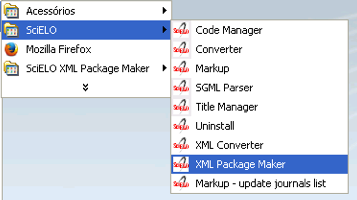
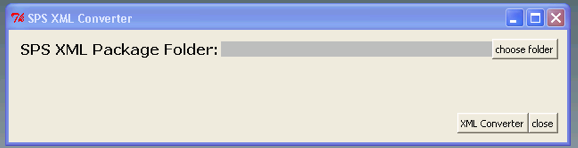
<div id="bkmrk-%C2%A0"><div>![_images/scielo_menu_xpm.png](https://scielo.readthedocs.io/projects/scielo-pc-programs/en/latest/_images/scielo_menu_xpm.png) ![_images/xpm_gui.png](https://scielo.readthedocs.io/projects/scielo-pc-programs/en/latest/_images/xpm_gui.png)</div></div>Select the folder which contains XML package files

<div id="bkmrk-"><div>![_images/xpm_gui_selected_folder.png](https://scielo.readthedocs.io/projects/scielo-pc-programs/en/latest/_images/xpm_gui_selected_folder.png)</div></div>Press **XML Package Maker**.

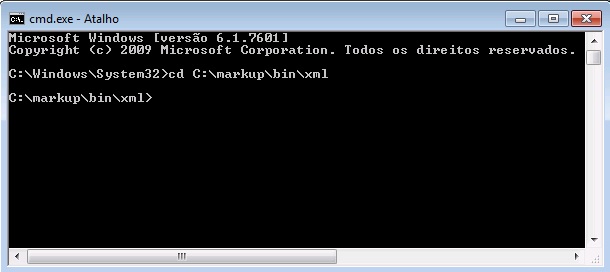
Or, to execute Package Maker via command line, open the terminal and go to the folder where the program is installed:

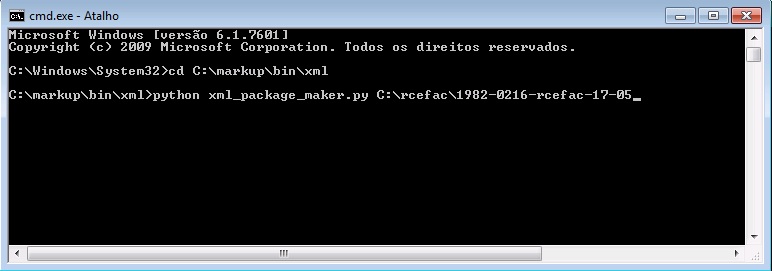
<div id="bkmrk--0"><div>![_images/mkp-pkm-dos.jpg](https://scielo.readthedocs.io/projects/scielo-pc-programs/en/latest/_images/mkp-pkm-dos.jpg)</div></div>Then type:

<div id="bkmrk-python-xml_package_m"><div><div>```
<span class="n" style="color: #000000;">python</span> <span class="n" style="color: #000000;">xml_package_maker</span><span class="o" style="color: #582800;">.</span><span class="n" style="color: #000000;">py</span> <span class="o" style="color: #582800;"><</span><span class="n" style="color: #000000;">xml_package_folder</span><span class="o" style="color: #582800;">></span>
```

</div></div>![_images/mkp-pm-cmd.jpg](https://scielo.readthedocs.io/projects/scielo-pc-programs/en/latest/_images/mkp-pm-cmd.jpg)</div>## Results

<div id="bkmrk-xml-files-for-scielo"><div>- XML files for SciELO (scielo\_package and/or scielo\_package\_zips folders)
- XML files for PMC (pmc\_package folder)
- report files (errors folder)
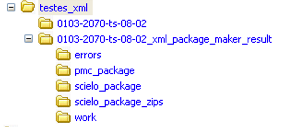
</div></div>The output folder (0103-2070-ts-08-02\_xml\_package\_maker\_result) is generated in the same folder in which contains the input folder (0103-2070-ts-08-02)

<div id="bkmrk--1">![_images/xpm_result_folders.png](https://scielo.readthedocs.io/projects/scielo-pc-programs/en/latest/_images/xpm_result_folders.png)</div>## Reports

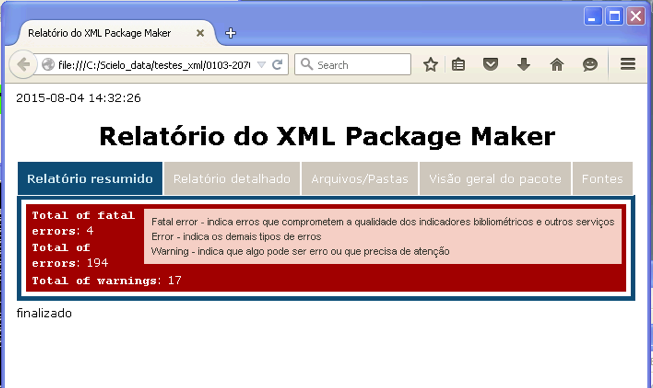
After finishing the processing the reports are displayed in a Web browser.

Switch between the tabs.

### Summary report

#### Validations Statistics

Presents the total of fatal errors, errors, and warnings, found in the whole package.

<div id="bkmrk-fatal-errors-represe"><div><div><div><dl class="docutils" style="margin: 0px; padding: 0px;"><dt>FATAL ERRORS</dt><dd style="margin-top: 3px; margin-bottom: 10px; margin-left: 30px; hyphens: auto; line-height: 1.4em;">represents errors related to Bibliometrics Indicators.</dd><dt>ERRORS</dt><dd style="margin-top: 3px; margin-bottom: 10px; margin-left: 30px; hyphens: auto; line-height: 1.4em;">represents other types of errors</dd><dt>WARNINGS</dt><dd style="margin-top: 3px; margin-bottom: 10px; margin-left: 30px; hyphens: auto; line-height: 1.4em;">represents something that needs more attention</dd></dl>![_images/xpm_report.png](https://scielo.readthedocs.io/projects/scielo-pc-programs/en/latest/_images/xpm_report.png)</div></div><div></div></div></div>### Detail report

#### Detail report - package validations

Fist of all, XPM validates some package’s data:

<div id="bkmrk-some-data-must-have-"><div><div><div>- Some data must have same value in all the XML files, such as:

</div></div></div></div>> <div>- journal-title
> - journal id NLM
> - journal ISSN
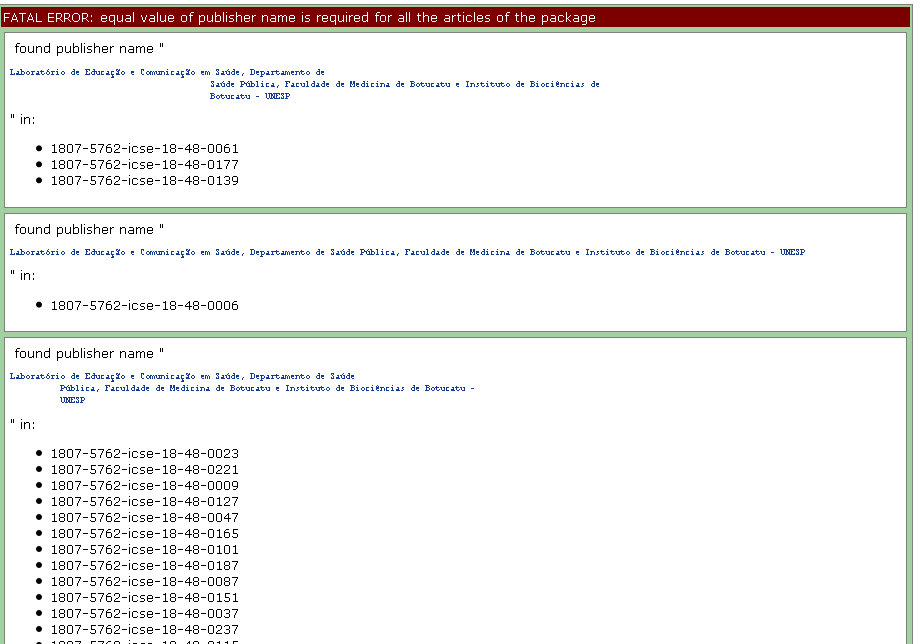
> - publisher name
> - issue label
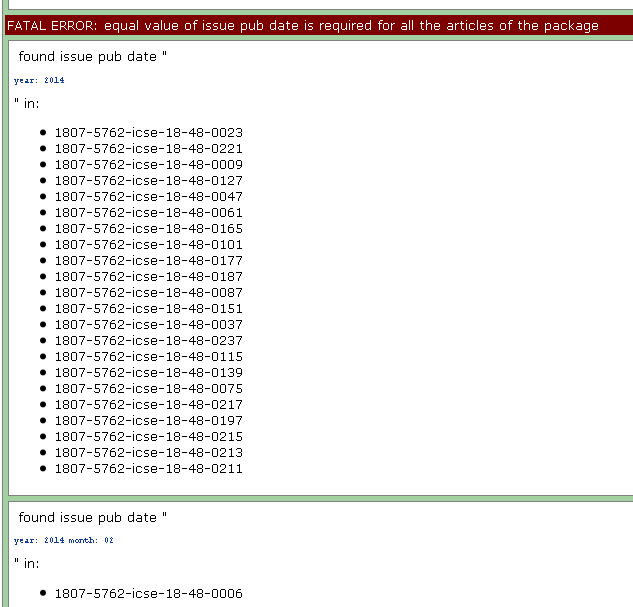
> - issue pub date
> 
> </div>

<div id="bkmrk-some-data-must-have--0"><div><div><div>- Some data must have unique value in all the XML files, such as:

</div></div></div></div>> <div>- doi
> - elocation-id, if applicable
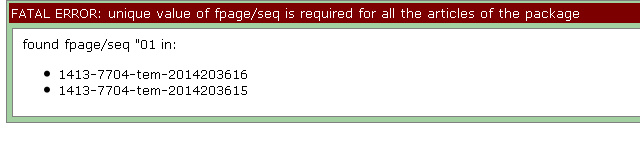
> - fpage and [fpage/@seq](mailto:fpage/%40seq)
> - order (used to generated article PID)
> 
> </div>

Example of fatal error because of different values for publisher-name.

> <div>![_images/xml_reports__toc_fatal_error_required_equal_publisher.jpg](https://scielo.readthedocs.io/projects/scielo-pc-programs/en/latest/_images/xml_reports__toc_fatal_error_required_equal_publisher.jpg)</div>
Example of fatal error because of different values for pub-date.

> <div>![_images/xml_reports_toc_fatal_error_required_equal_date.png](https://scielo.readthedocs.io/projects/scielo-pc-programs/en/latest/_images/xml_reports_toc_fatal_error_required_equal_date.png)</div>
Example of fatal error because unique value is required

> <div>![_images/xml_reports_toc_fatal_error_unique.png.jpg](https://scielo.readthedocs.io/projects/scielo-pc-programs/en/latest/_images/xml_reports_toc_fatal_error_unique.png.jpg)</div>
#### Detail report - documents’ validations

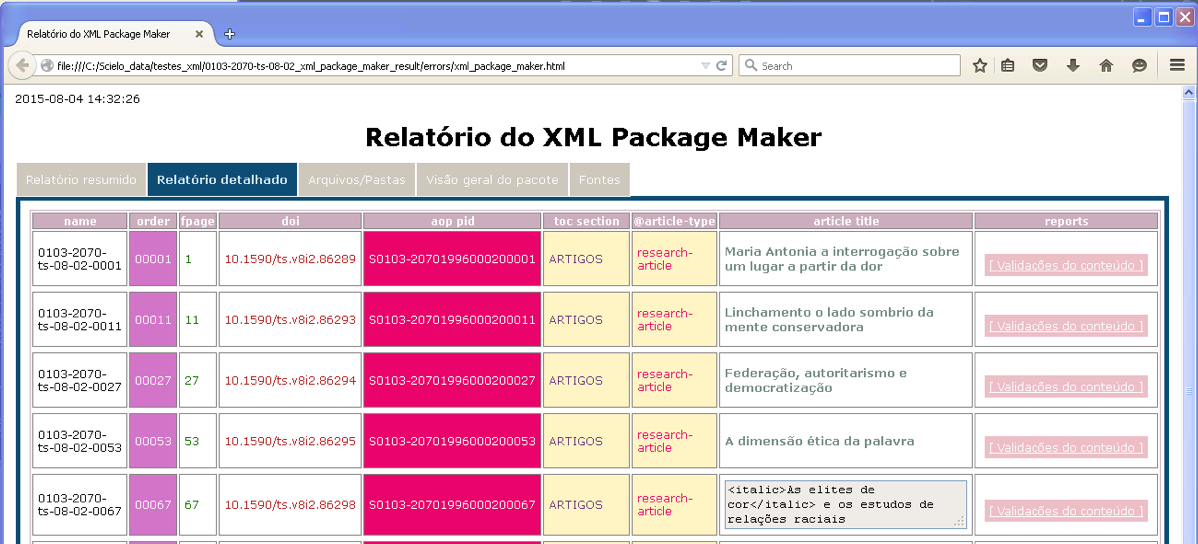
Presents the documents in a table.

The columns order, aop pid, toc section, @article-type are hightlighted because contains important data.

The column **reports** contains **buttons** to open/close the detail reports of each document.

Each row has the document’s data
<div id="bkmrk--5"><div><div><div>![_images/xpm_report_detail.png](https://scielo.readthedocs.io/projects/scielo-pc-programs/en/latest/_images/xpm_report_detail.png)</div><div></div></div></div></div>#### Detail report - Validations

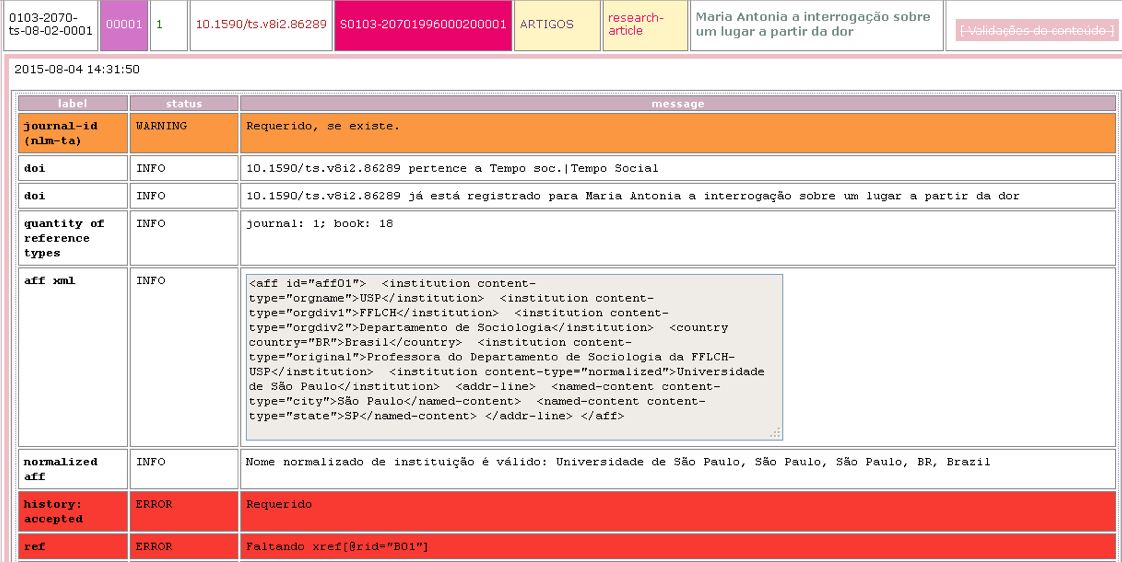
Click on **Data Quality Control** to view the problems. The detail report is displayed below the row

<div id="bkmrk--6"><div><div><div>![_images/xpm_report_detail_validations.png](https://scielo.readthedocs.io/projects/scielo-pc-programs/en/latest/_images/xpm_report_detail_validations.png)</div></div><div></div></div></div>### Folders/Files

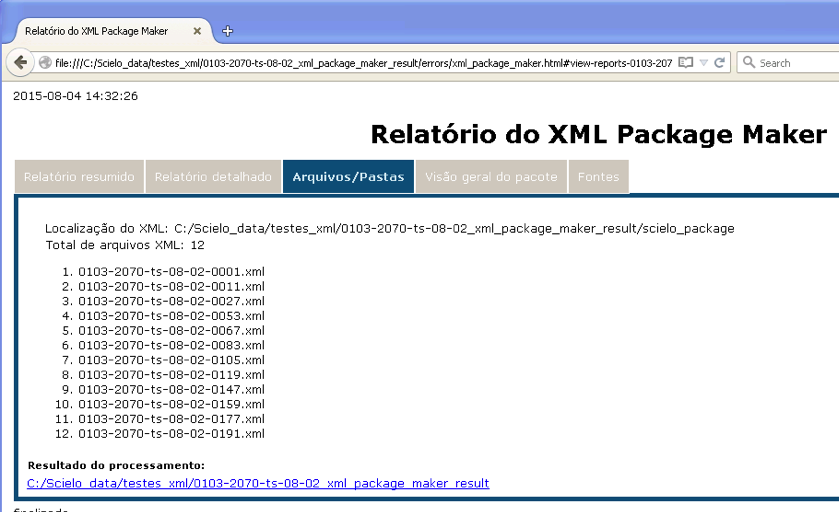
Displays the files/folders which are inputs and outputs.

<div id="bkmrk--7"><div><div>![_images/xpm_report_folder.png](https://scielo.readthedocs.io/projects/scielo-pc-programs/en/latest/_images/xpm_report_folder.png)</div><div></div></div></div>### Overview report

#### Overview report - languages

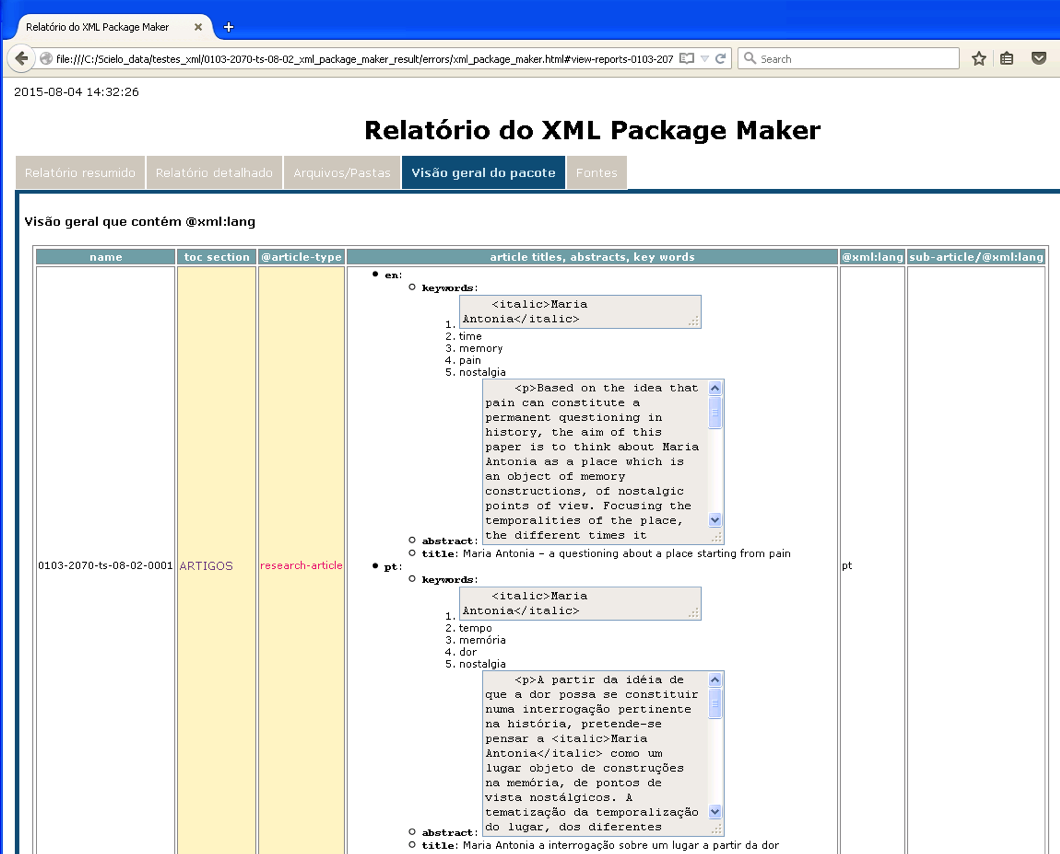
Displays the elements which contains @xml:lang.

<div id="bkmrk--8"><div><div><div>![_images/xpm_report_overview_lang.png](https://scielo.readthedocs.io/projects/scielo-pc-programs/en/latest/_images/xpm_report_overview_lang.png)</div><div></div></div></div></div>#### Overview report - dates

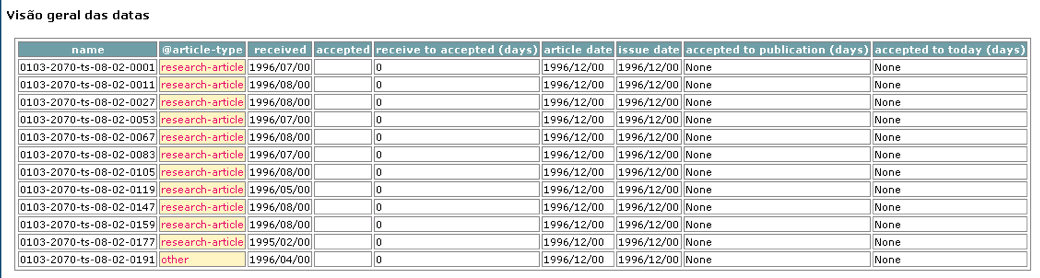
Displays the dates found in the document: publication and history. Displays the spent time between received and accepted, accepted and published, accepted and the present date.

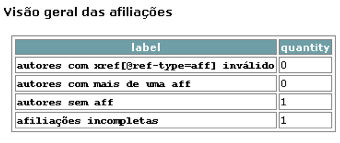
<div id="bkmrk--9"><div><div><div>![_images/xpm_report_overview_date.png](https://scielo.readthedocs.io/projects/scielo-pc-programs/en/latest/_images/xpm_report_overview_date.png)</div><div></div></div></div></div>#### Overview report - affiliations

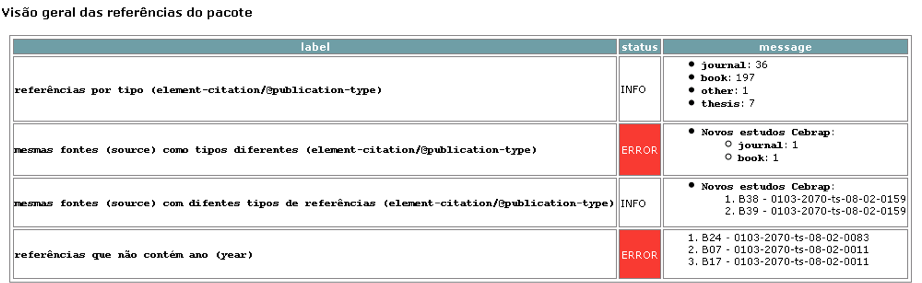
<div id="bkmrk--10"><div><div><div>![_images/xpm_report_overview_aff.png](https://scielo.readthedocs.io/projects/scielo-pc-programs/en/latest/_images/xpm_report_overview_aff.png)</div><div></div></div></div></div>#### Overview report - references

<div id="bkmrk--11"><div><div><div>![_images/xpm_report_overview_ref.png](https://scielo.readthedocs.io/projects/scielo-pc-programs/en/latest/_images/xpm_report_overview_ref.png)</div></div><div></div></div></div>### Sources report

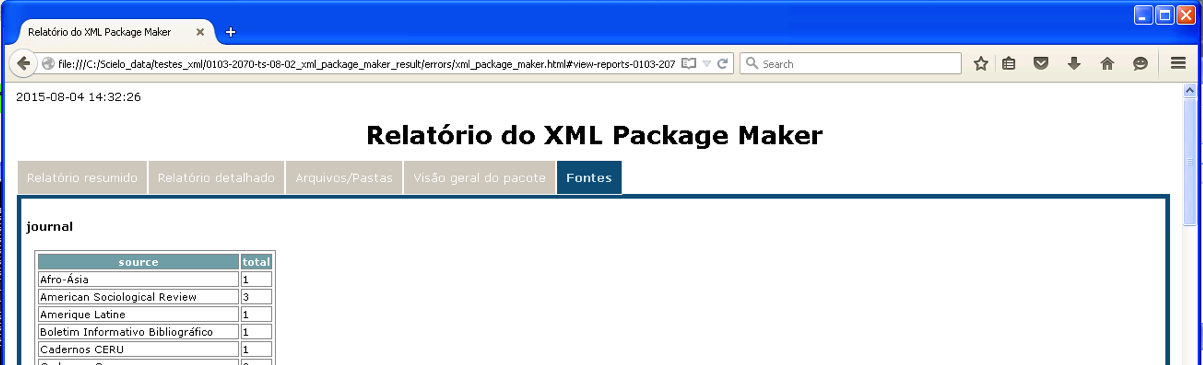
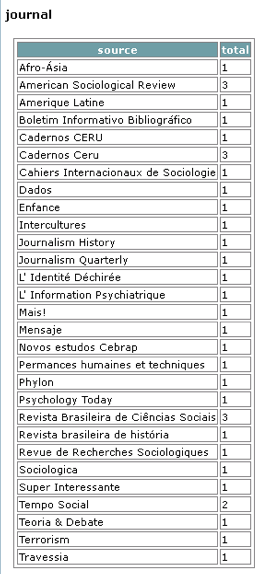
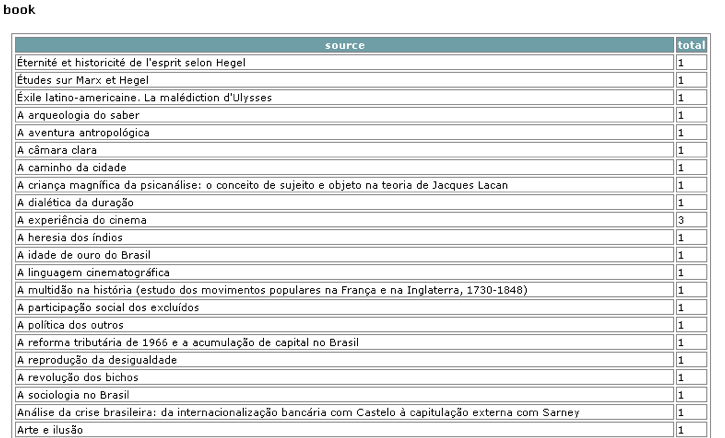
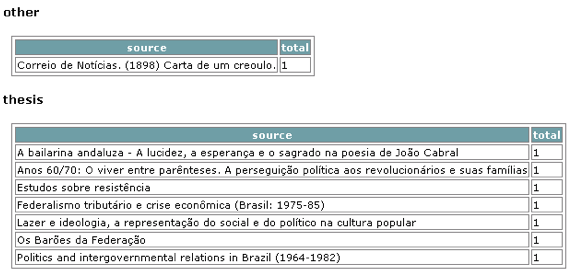
<div id="bkmrk-%C2%A0%C2%A0%C2%A0"><div>![_images/xpm_report_sources.png](https://scielo.readthedocs.io/projects/scielo-pc-programs/en/latest/_images/xpm_report_sources.png) ![_images/xpm_report_sources_journals.png](https://scielo.readthedocs.io/projects/scielo-pc-programs/en/latest/_images/xpm_report_sources_journals.png) ![_images/xpm_report_sources_books.png](https://scielo.readthedocs.io/projects/scielo-pc-programs/en/latest/_images/xpm_report_sources_books.png) ![_images/xpm_report_sources_others.png](https://scielo.readthedocs.io/projects/scielo-pc-programs/en/latest/_images/xpm_report_sources_others.png)</div></div>