# XML Converter (XC)

It is a tool to generate CDS/ISIS databases in the serial folder to generate the Web site.

## How to use

Use the Windows menu to open the program.
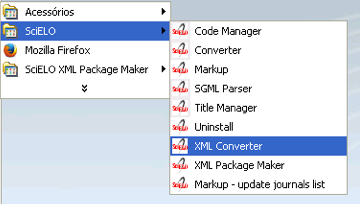
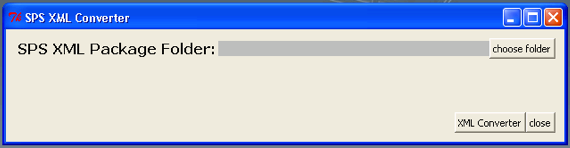
<div id="bkmrk-%C2%A0"><div>![_images/scielo_menu_xc.png](https://scielo.readthedocs.io/projects/scielo-pc-programs/en/latest/_images/scielo_menu_xc.png) ![_images/xc_gui.png](https://scielo.readthedocs.io/projects/scielo-pc-programs/en/latest/_images/xc_gui.png)</div></div>Select the folder which contains XML package files

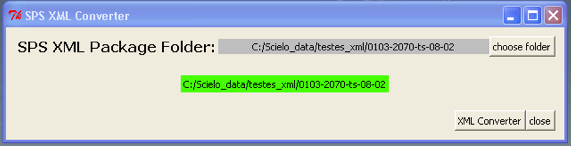
<div id="bkmrk-"><div>![_images/xc_gui_selected_folder.png](https://scielo.readthedocs.io/projects/scielo-pc-programs/en/latest/_images/xc_gui_selected_folder.png)</div></div>Press **XML Converter**.

## Unable to identify the issue

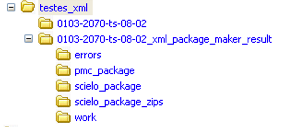
If XC was unable to identified the issue, the output folder (0103-2070-ts-08-02\_xml\_converter\_result) is generated in the same folder which contains the input folder (0103-2070-ts-08-02) and it contains:

<div id="bkmrk-xml-files-for-scielo">- XML files for SciELO (scielo\_package and/or scielo\_package\_zips folders)
- XML files for PMC (pmc\_package folder)
- report files (errors folder)
![_images/xpm_result_folders.png](https://scielo.readthedocs.io/projects/scielo-pc-programs/en/latest/_images/xpm_result_folders.png)</div>## Package has a valid issue

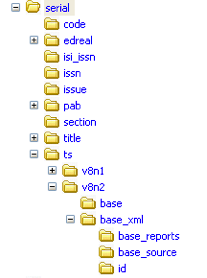
If XC has identified the issue, the results will be generated in the corresponding folder in the serial folder.

For instance, serial/ts/v8n2.
<div id="bkmrk--0">![_images/xc_result_folders.png](https://scielo.readthedocs.io/projects/scielo-pc-programs/en/latest/_images/xc_result_folders.png)</div>## Results

<div id="bkmrk-base%3A-cds%2Fisis-datab"><div>- base: CDS/ISIS database, used to generate the Web site.
- base\_xml/id: files used to generate base contents
- base\_xml/base\_source: XML package files
- base\_xml/base\_reports: reports (xml\_converter.html)
- windows: (optional) if it does not run in Windows, *windows* is generated in order to export *base* in Windows format.

</div></div>If in the computer there is an instance of SciELO Web site, the images, pdf, etc are copied to the corresponding folders in the SciELO Web site.

<div id="bkmrk-htdocs%2Fimg%2Frevistas%2F">- htdocs/img/revistas/&lt;acron&gt;/&lt;issue\_id&gt;/
- bases/pdf/&lt;acron&gt;/&lt;issue\_id&gt;/
- bases/xml/&lt;acron&gt;/&lt;issue\_id&gt;/

</div>## Reports

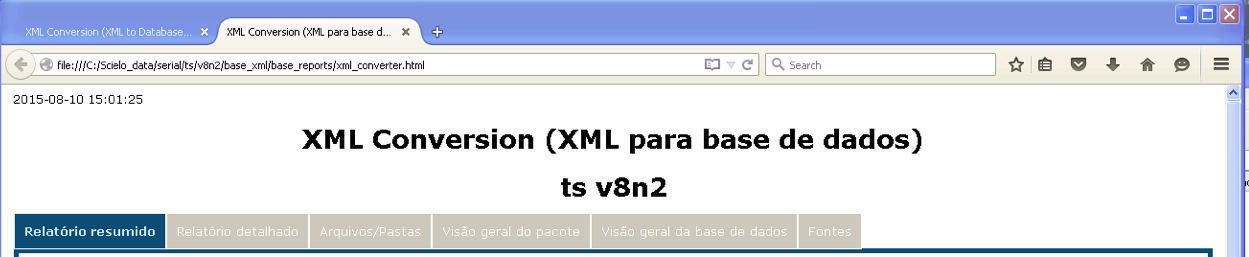
After finishing the processing the reports are displayed in a Web browser.

Switch between the tabs.

Some reports are the same generated by XPM. Consult [its documentation](https://scielo.readthedocs.io/projects/scielo-pc-programs/en/latest/xml_package_maker.html).
<div id="bkmrk--1"><div>![_images/xc_reports.png](https://scielo.readthedocs.io/projects/scielo-pc-programs/en/latest/_images/xc_reports.png)<div></div></div></div>### Summary report

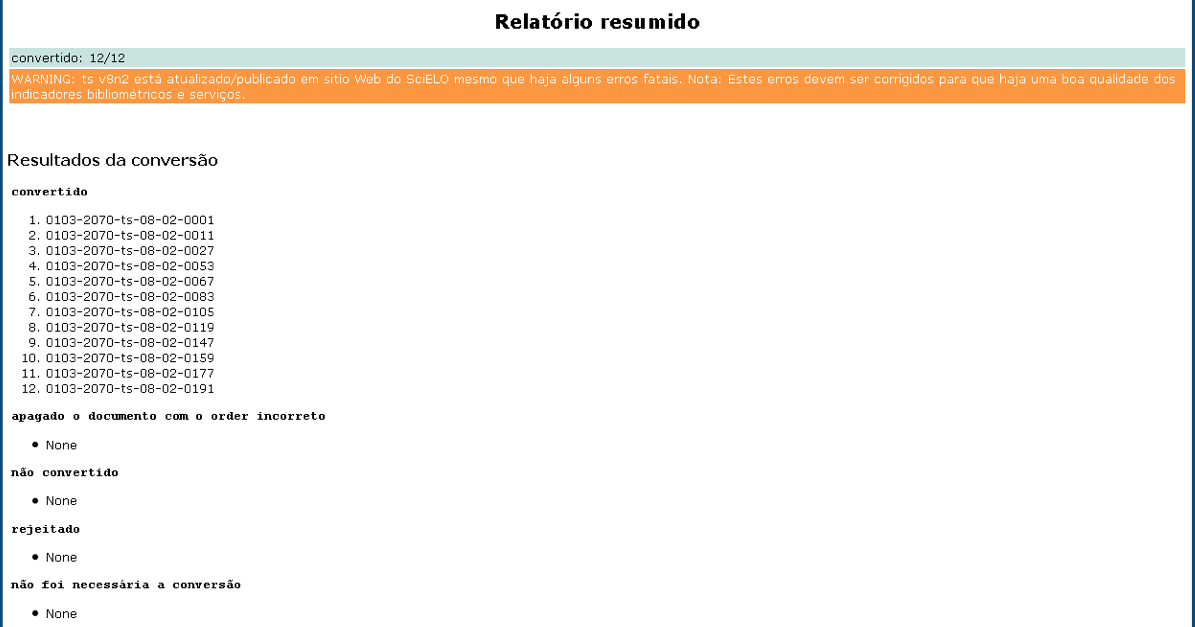
#### Conversion status

Presents the files according to the conversion results:

<div id="bkmrk-converted-files-for-"><div><div><div>![_images/xc_reports_summary2.png](https://scielo.readthedocs.io/projects/scielo-pc-programs/en/latest/_images/xc_reports_summary2.png)<dl class="docutils" style="margin: 0px; padding: 0px;"><dt>converted</dt><dd style="margin-top: 3px; margin-bottom: 10px; margin-left: 30px; hyphens: auto; line-height: 1.4em;">files for which the database was successfully generated</dd><dt>deleted incorrect order</dt><dd style="margin-top: 3px; margin-bottom: 10px; margin-left: 30px; hyphens: auto; line-height: 1.4em;">files which **order** was incorrect</dd><dt>not converted</dt><dd style="margin-top: 3px; margin-bottom: 10px; margin-left: 30px; hyphens: auto; line-height: 1.4em;">files for which the database was failed to generate</dd><dt>rejected</dt><dd style="margin-top: 3px; margin-bottom: 10px; margin-left: 30px; hyphens: auto; line-height: 1.4em;">files were rejected because they have fatal errors in issue’s data.</dd><dt>skipped conversion</dt><dd style="margin-top: 3px; margin-bottom: 10px; margin-left: 30px; hyphens: auto; line-height: 1.4em;">files which were not necessary to convert because they have no changes since last conversion</dd></dl></div><div></div></div></div></div>#### AOP Status

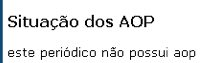
<div id="bkmrk--2"><div><div><div>![_images/xc_reports_summary3.png](https://scielo.readthedocs.io/projects/scielo-pc-programs/en/latest/_images/xc_reports_summary3.png)</div></div></div></div>Presents information about AOP.

If the journal has aop documents, presents the **deleted** ex aop and files which continue as aop.

### Detail report

Presents the documents in a table.

The columns order, aop pid, toc section, @article-type are hightlighted because contain important data.

The column **reports** contains **buttons** to open/close the detail reports of each document.

Each row has the document’s data.

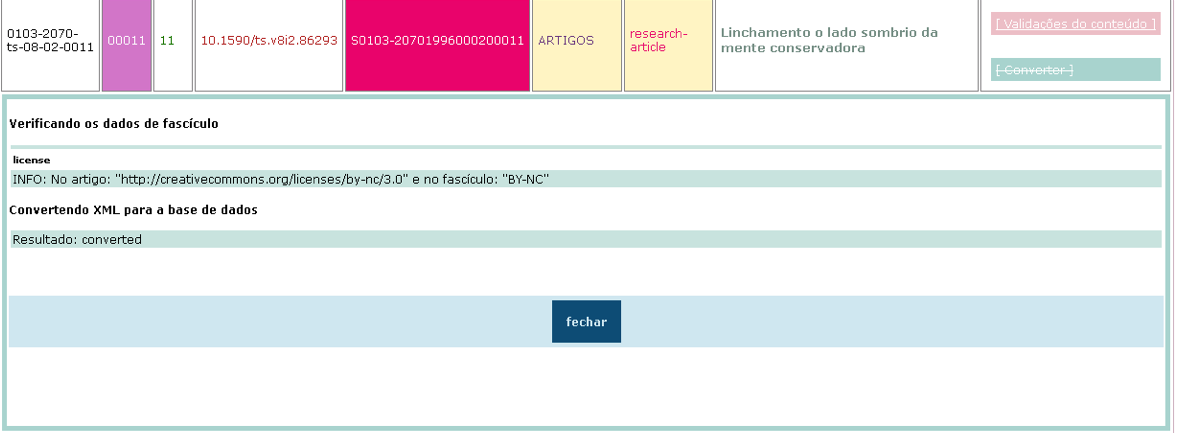
<div id="bkmrk--3"><div><div>![_images/xc_reports_detail.png](https://scielo.readthedocs.io/projects/scielo-pc-programs/en/latest/_images/xc_reports_detail.png)</div></div></div>XC checks if the data found in XML are the same which were registered in the issue’s forms (Title Manager or SciELO Manager).

Presents the results of these validations.

<div id="bkmrk--4"><div><div>![_images/xc_reports_detail_converter.png](https://scielo.readthedocs.io/projects/scielo-pc-programs/en/latest/_images/xc_reports_detail_converter.png)</div><div></div></div></div>### Database overview

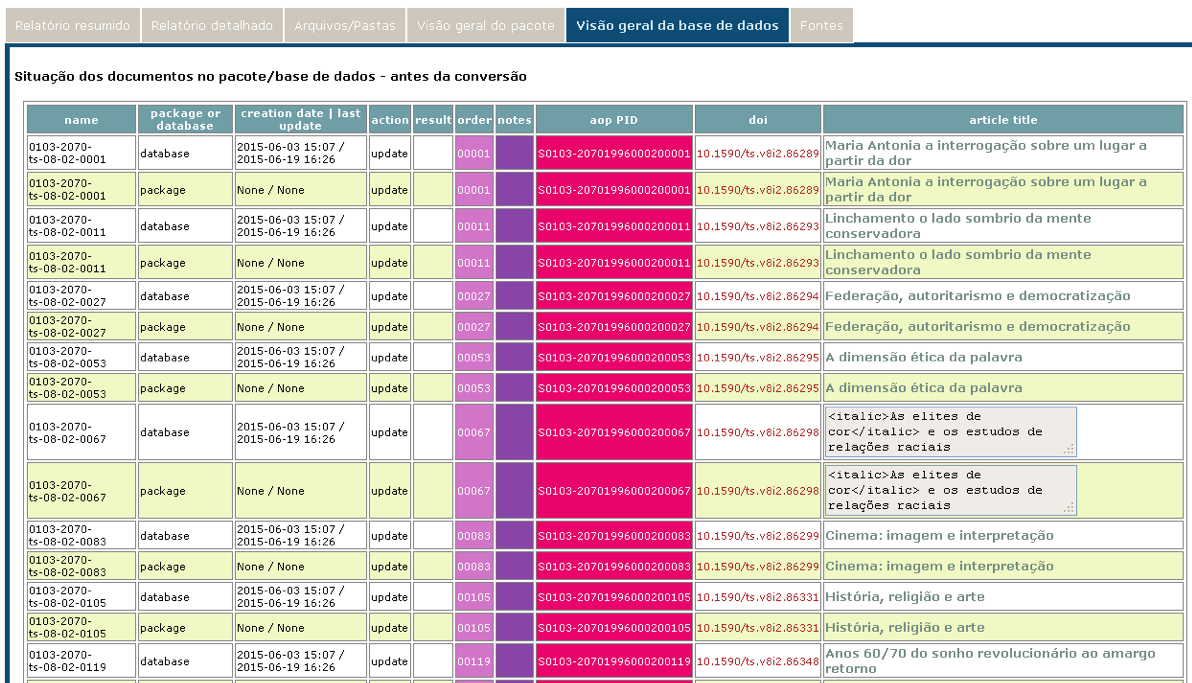
Presents the package’s data and the status of database before the conversion.

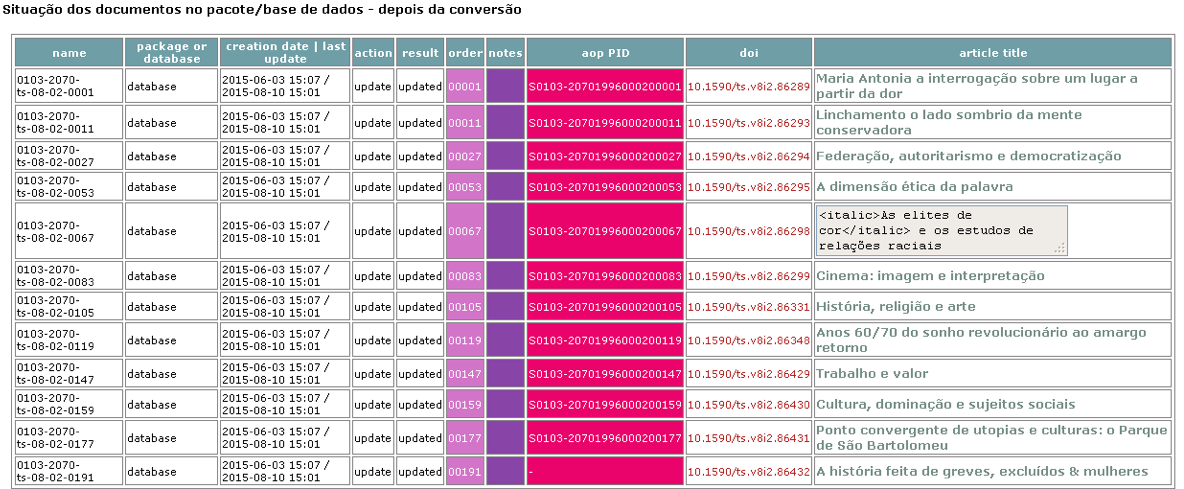
<div id="bkmrk--5"><div><div>![_images/xc_reports_before.png](https://scielo.readthedocs.io/projects/scielo-pc-programs/en/latest/_images/xc_reports_before.png)</div></div></div>Presents the status of the database after the conversion.

<div id="bkmrk--6"><div>![_images/xc_reports_after.png](https://scielo.readthedocs.io/projects/scielo-pc-programs/en/latest/_images/xc_reports_after.png)</div></div>