# SGML Parser

SGML Parser is a desktop application (Visual Basic, C and sp120.dll library), to validate if the document was identified according to [DTD SciELO](https://scielo.readthedocs.io/projects/scielo-pc-programs/en/latest/dtd_scielo.html).

This program can be executed:

1. from [Markup](https://scielo.readthedocs.io/projects/scielo-pc-programs/en/latest/markup.html)
2. Embedded in Converter, for internal use, to analyze and get the value of the elements and their attributes.
3. as stand-alone application

## Executed from Markup Program

<div id="bkmrk-"><div>![_images/markup_operations_bar.png](https://scielo.readthedocs.io/projects/scielo-pc-programs/en/latest/_images/markup_operations_bar.png)</div></div>To execute the SGML Parser from Markup, click on the button:

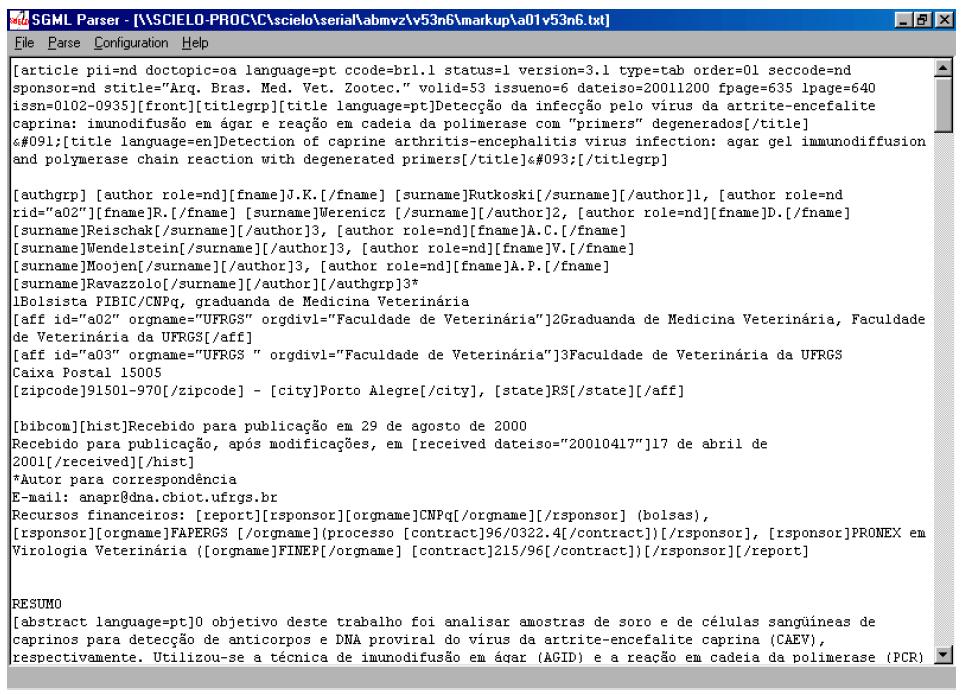
<div id="bkmrk--0"><div>![_images/markup_operations_bar_parser.jpg](https://scielo.readthedocs.io/projects/scielo-pc-programs/en/latest/_images/markup_operations_bar_parser.jpg)</div></div>The file, which is open in the Markup program, is saved as .txt and is open in SGML Parser program.

<div id="bkmrk--1">![_images/parser_open_file.jpg](https://scielo.readthedocs.io/projects/scielo-pc-programs/en/latest/_images/parser_open_file.jpg)</div>## Executed embedded in Converter

Converter uses SGML Parser to validate the files but also to get the identified contents, in order to load them in the database.

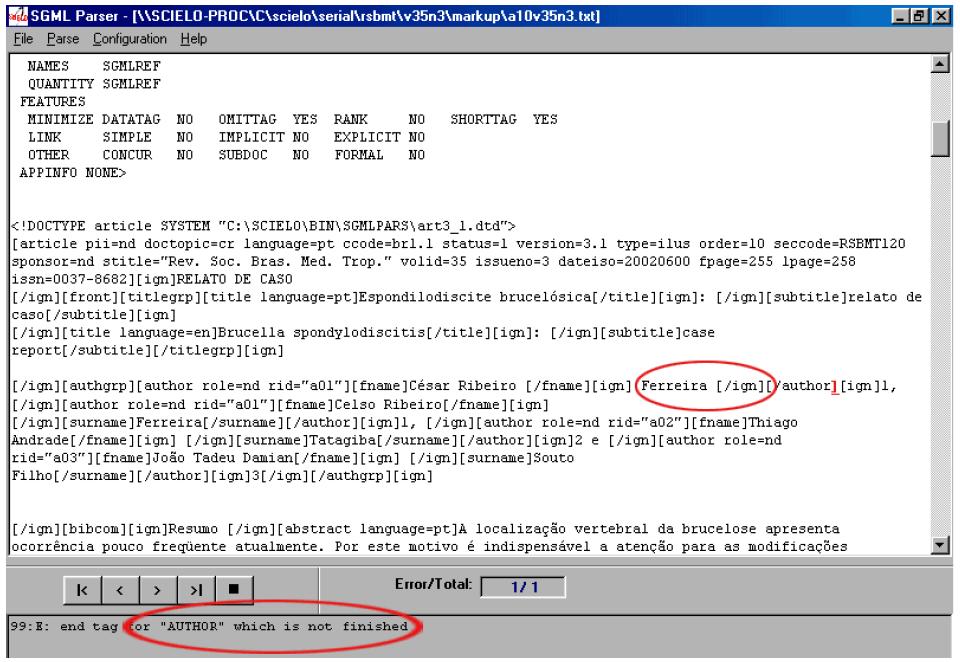
During this process, some markup errors can be found. To view the errors:

<div id="bkmrk-open-the-sgml-parser">1. open the SGML Parser program as stand-alone application
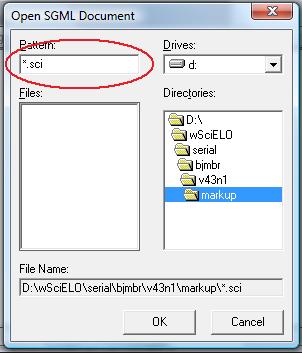
2. open the \*.sci file
3. execute the program

</div>## Executed as stand-alone application

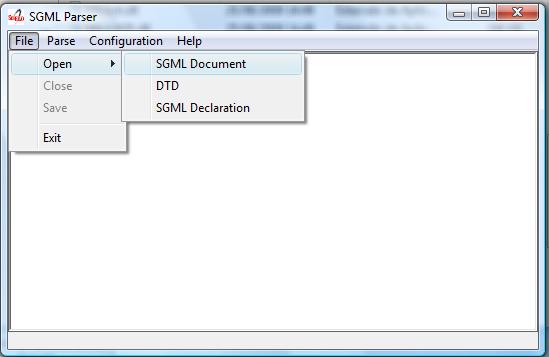
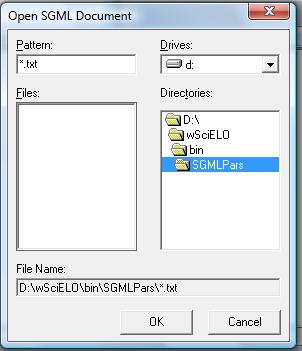
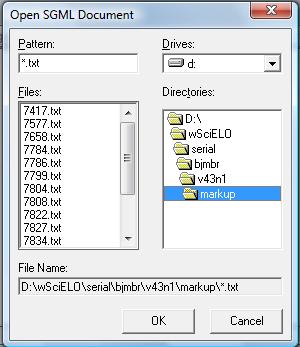
Open the SGML Parser program using the Windows menu.
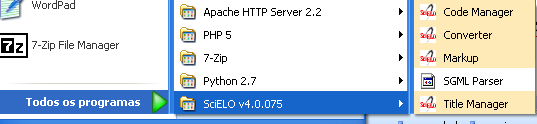
<div id="bkmrk-%C2%A0%C2%A0%C2%A0%C2%A0">![_images/scielo_menu.png](https://scielo.readthedocs.io/projects/scielo-pc-programs/en/latest/_images/scielo_menu.png) ![_images/parser_openFile.jpg](https://scielo.readthedocs.io/projects/scielo-pc-programs/en/latest/_images/parser_openFile.jpg) ![_images/parser_openFile2.jpg](https://scielo.readthedocs.io/projects/scielo-pc-programs/en/latest/_images/parser_openFile2.jpg) ![_images/parser_openFile3.jpg](https://scielo.readthedocs.io/projects/scielo-pc-programs/en/latest/_images/parser_openFile3.jpg) ![_images/parser_openFile4.jpg](https://scielo.readthedocs.io/projects/scielo-pc-programs/en/latest/_images/parser_openFile4.jpg)</div>## Configuration

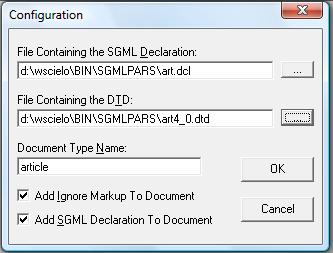
Access the Menu and select Configuration option.
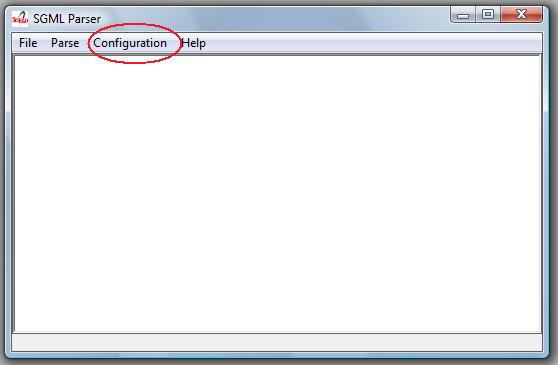
<div id="bkmrk--2"><div>![_images/parser_config.jpg](https://scielo.readthedocs.io/projects/scielo-pc-programs/en/latest/_images/parser_config.jpg)</div></div>The options below must be checked:

<div id="bkmrk-add-ignore-markup-to"><div>- Add ignore markup to document
- Add SGML declaration to document

</div></div>The other fields, for:

<div id="bkmrk-article%3A-file-contai">- article: 
    - **File Containing the DTD** = C:\\SCIELO\\BIN\\SGMLPARS\\article4\_0.dtd
    - **Document Type Name** = article
- text: 
    - **File Containing the DTD** = C:\\SCIELO\\BIN\\SGMLPARS\\text4\_0.dtd
    - **Document Type Name** = text
![_images/parser_configuration.jpg](https://scielo.readthedocs.io/projects/scielo-pc-programs/en/latest/_images/parser_configuration.jpg)</div>## Document analysis

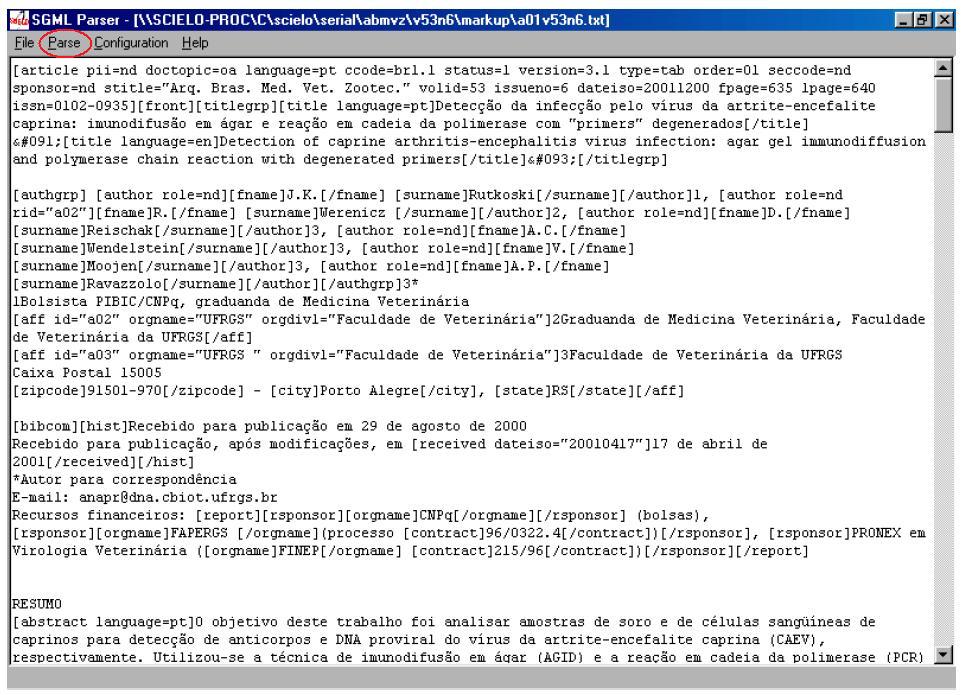
After the configuration, the user have to click on **Parse** menu option in order to analyze the document.
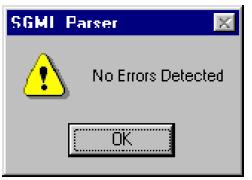
<div id="bkmrk--3"><div>![_images/parser_parse.jpg](https://scielo.readthedocs.io/projects/scielo-pc-programs/en/latest/_images/parser_parse.jpg)</div></div>If everything is correct, the message bellow is presented:

<div id="bkmrk--4"><div>![_images/parser_noerror.jpg](https://scielo.readthedocs.io/projects/scielo-pc-programs/en/latest/_images/parser_noerror.jpg)</div></div>Then, the user can exit the program.

If there are errors, the SGML Parser will indicate the line and the error type occured. In this case, the user must go back to Markup program, make corrections, then repeat the procedure of using SGML Parser until there is no error.

<div id="bkmrk--5">![_images/parser_error1.jpg](https://scielo.readthedocs.io/projects/scielo-pc-programs/en/latest/_images/parser_error1.jpg)</div>