# Download

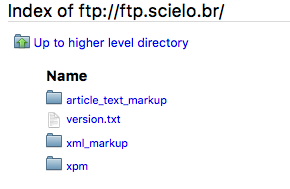
Abrir um Navegador Web e acessar:

[ftp://ftp.scielo.br](ftp://ftp.scielo.br/)

> <div>![_images/howtoinstall_download1.png](https://scielo.readthedocs.io/projects/scielo-pc-programs/en/latest/_images/howtoinstall_download1.png)</div>

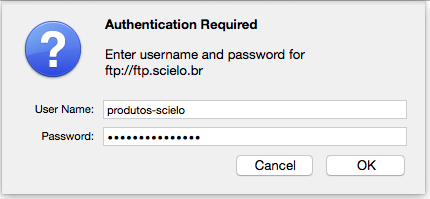
Informar o usuário e senha

> <div>- user: produtos-scielo
> - password: [produtos@scielo](mailto:produtos%40scielo)
> 
> ![_images/howtoinstall_download2.png](https://scielo.readthedocs.io/projects/scielo-pc-programs/en/latest/_images/howtoinstall_download2.png)</div>
Selecionar a pasta de acordo com os programas que deseja instalar.

> > <div><dl class="docutils" style="margin: 0px; padding: 0px;"><dt>article\_text\_markup</dt><dd style="margin-top: 3px; margin-bottom: 10px; margin-left: 30px; hyphens: auto; line-height: 1.4em;">para Marcação SGML (article e text DTD)</dd><dt>xml\_markup</dt><dd style="margin-top: 3px; margin-bottom: 10px; margin-left: 30px; hyphens: auto; line-height: 1.4em;">para Marcação XML (doc DTD)</dd><dt>xpm</dt><dd style="margin-top: 3px; margin-bottom: 10px; margin-left: 30px; hyphens: auto; line-height: 1.4em;">para XML Package Maker</dd></dl></div>
> 
> <div><div>![_images/howtoinstall_download3.png](https://scielo.readthedocs.io/projects/scielo-pc-programs/en/latest/_images/howtoinstall_download3.png)<div></div></div></div>Nota:
> 
> Não há mais novos desenvolvimentos para os programas relacionados ao Markup SGML, no entanto, eles podem ser instalados com o instalador que está em xml\_markup.